Installing takes about five minutes: download the zip from GitHub, upload it in WordPress, activate it, then add your API keys. Already have the plugin? Go to Update to a new version instead.
Before you start
You can log in to WordPress as an administrator.
Your store meets the requirements.
You have your Blink API keys, or a sandbox account to get test keys from. See Activate your API credentials.
Steps
Download the latest plugin zip from the GitHub releases page. Keep it as a zip.
In your WordPress dashboard, go to Plugins and click Add New Plugin.
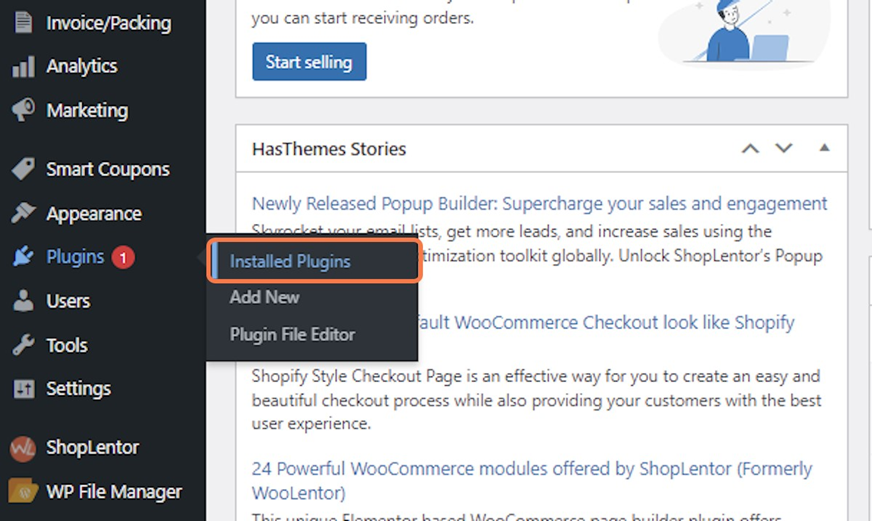
Click Upload Plugin, then Choose File, and select the zip you downloaded.

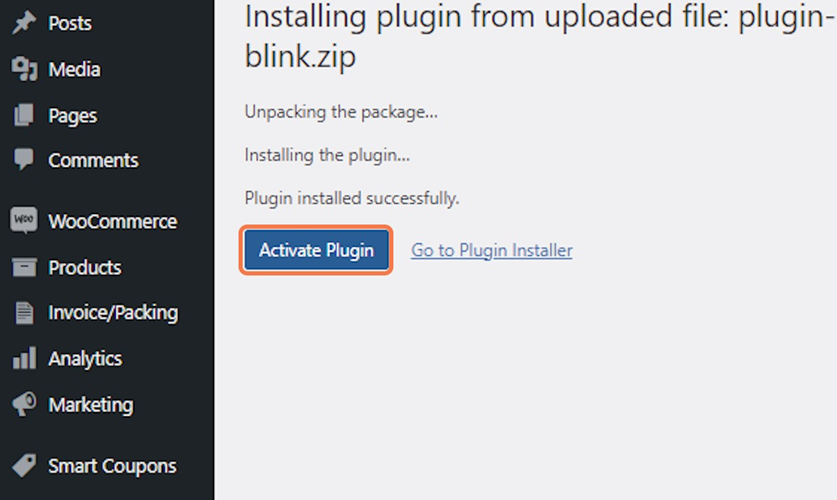
Click Install Now, then Activate Plugin.
Go to WooCommerce → Settings → Payments. Next to Blink, click Finish set up (or Manage).

Your next step is Configure the plugin, where you add your keys and choose your payment methods.
The installed version is shown on the Plugins page next to Blink Payment Gateway for WooCommerce. Quote it if you contact support.
If the plugin does not appear
Check the upload finished and the zip was not renamed or unzipped.
Check you are on the Plugins page of the right WordPress site.
Still stuck? See Troubleshooting.