Step 1
Download these two files bellow.
Step 2
Open Postman.
Step 3
Click Import > Import the two files.
Step 4
Click Environments on the left
Step 5
Select Blink Card Present Env environment
Step 6
Add your api_key, api_secret and terminal_id
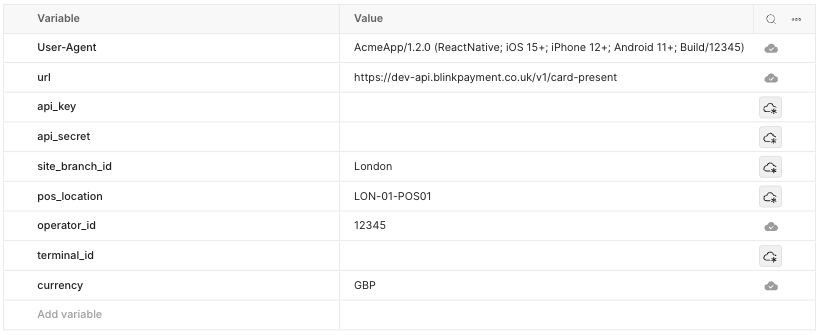
Step 7
Close the environment
Step 8
Click Collections on the left
Step 9
Top right, select the new environment: Blink Card Present Env
Step 10
On the left, expand Blink Card Present API collection
Step 11
Click GET terminals request
Step 12
Click SEND button
Expected result:
{
  "terminal_id": "TEST",
  "serial_number": "123-456-789",
  "state": "CONNECTED",
  "last_connected_at": "2025-09-26T01:11:20.364663321Z",
  "last_active_at": null,
  "last_connected_pos": null,
  "device_software_version": "5.342.30"
}